We built Soma AI, from frontend to backend
A complete workspace for Facebook and Instagram ad creation, bringing campaigns, creative assets, ad copy, and bulk launches together.
 Meta APIs
The complete product, built end to end
Soma AI brings the work of preparing Facebook and Instagram ads into one workspace. We developed the complete frontend and backend: account connections, campaign setup, creative management, ad copy, bulk ad creation, and launch history.
Development completed · Not publicly launched
The project did not go live. This case study documents the product we built; the screens are exported from the Figma design and contain sample content and metrics.
Highlights
- Built the React application and Node.js backend for the full advertising workflow, with MongoDB for application data.
- Connected Meta accounts, campaigns, and ad sets to a single interface for preparing Facebook and Instagram ads.
- Developed creative uploads and grouping, editable ad copy, batch processing, and a history of launch attempts and their status.
A clear starting point for every campaign
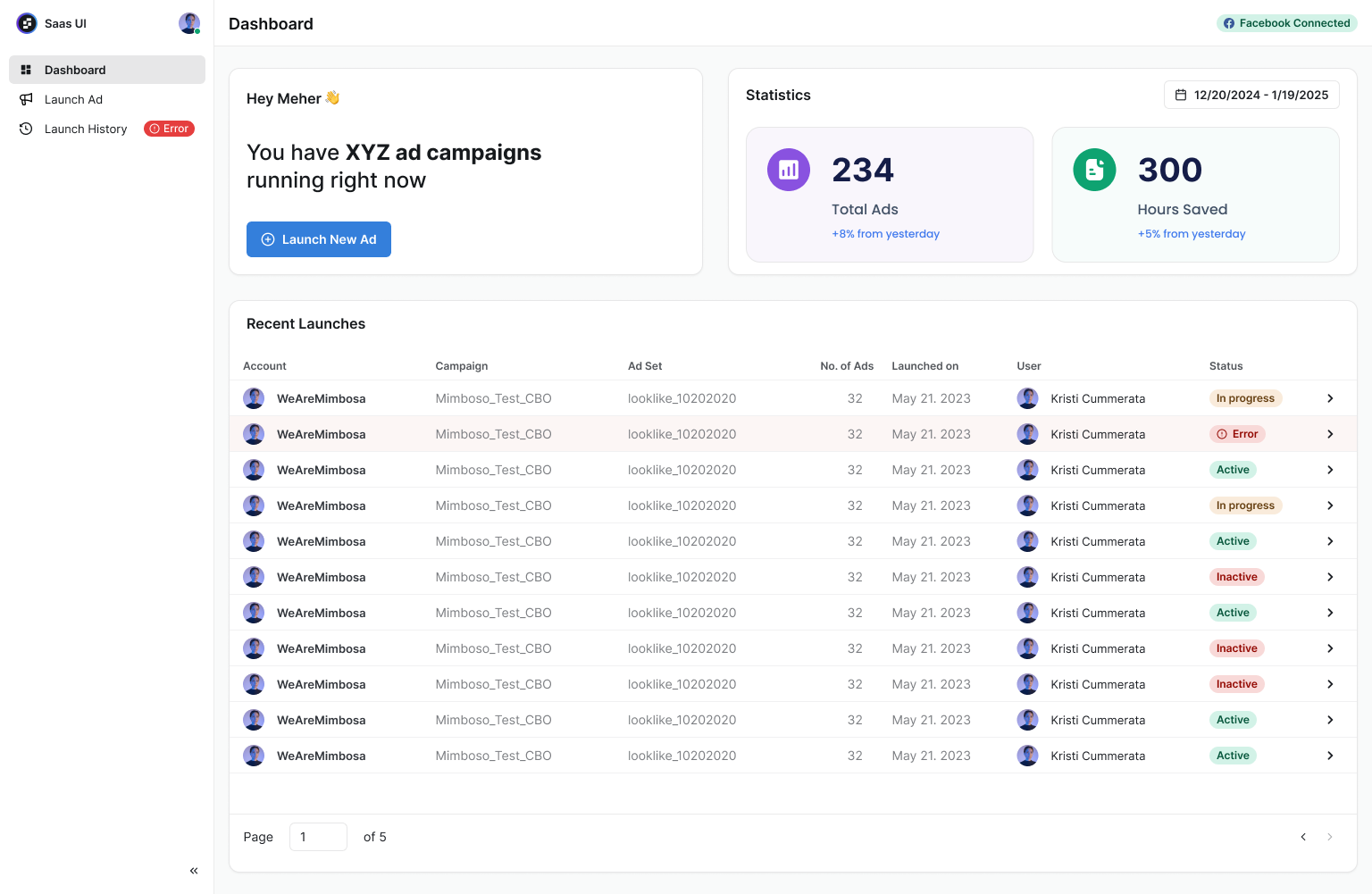
The dashboard brings recent launches and account activity together. Marketers can see the status of their work and start a new batch from the same place, without moving between separate tools.
From creative assets to ready-to-post ads
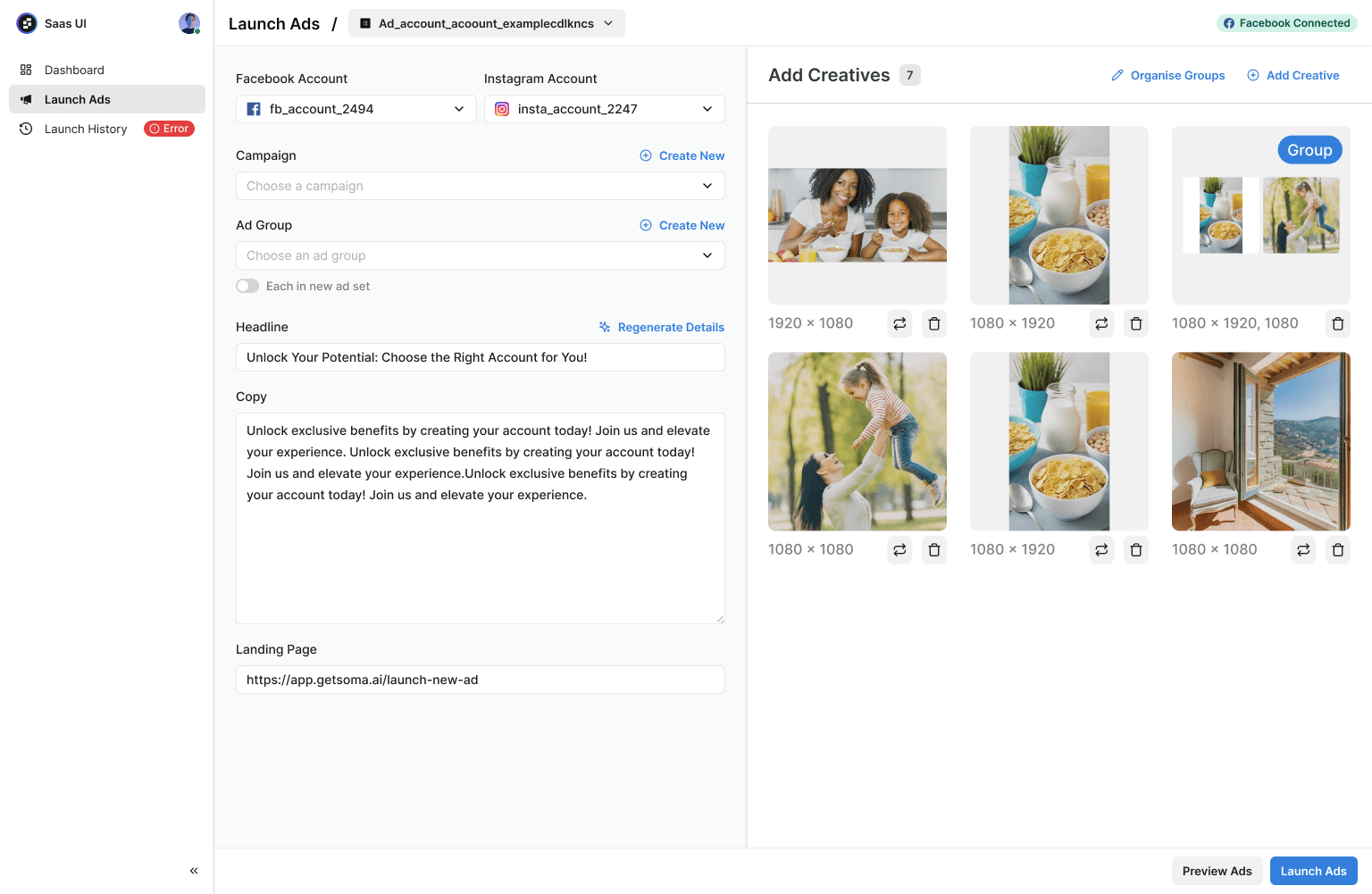
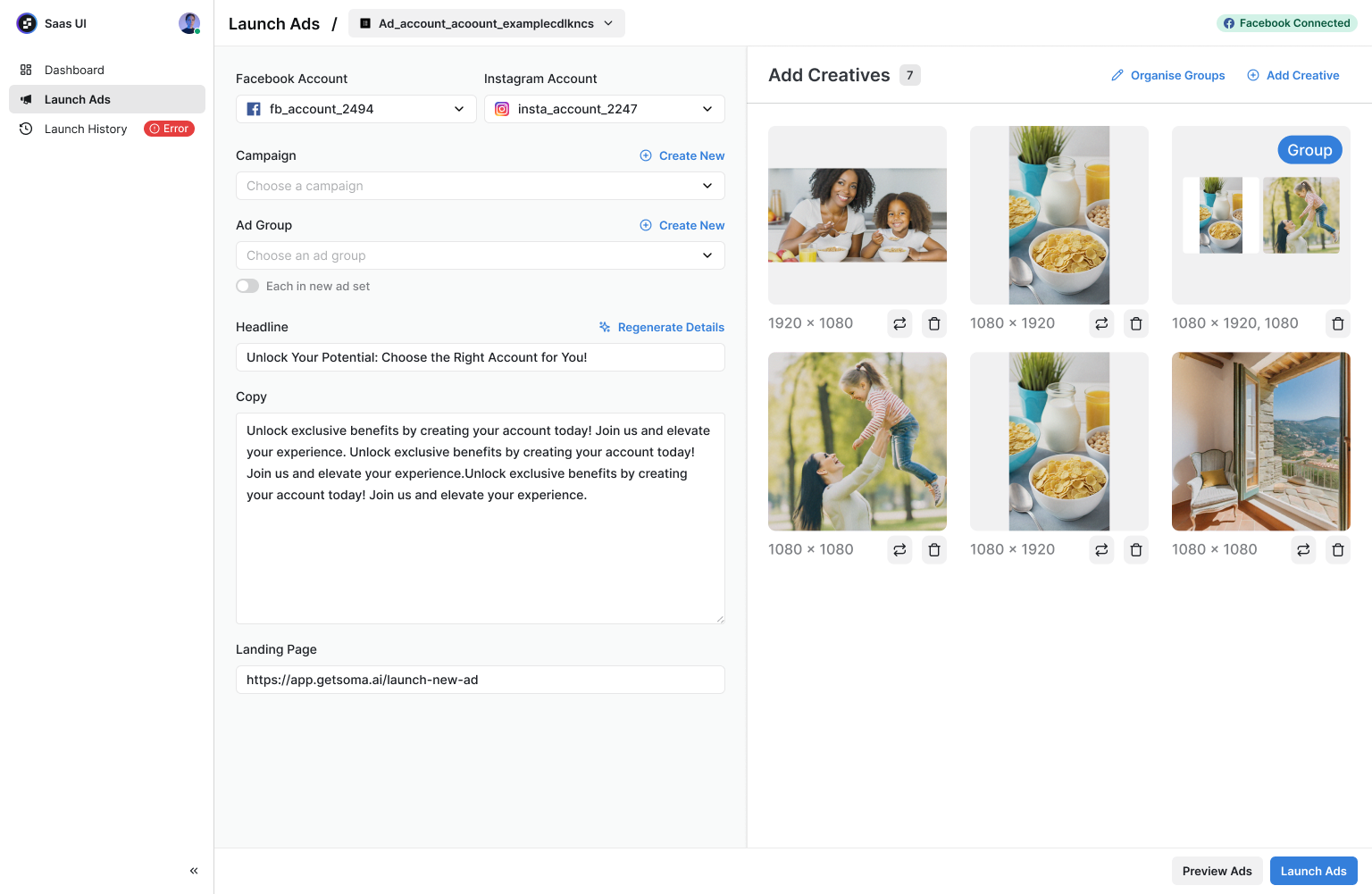
The ad workspace connects account selection, campaigns, ad sets, headlines, copy, and landing pages with the creative library. We built the interface and the APIs behind it so these pieces work together as one flow.
Organise creatives into groups
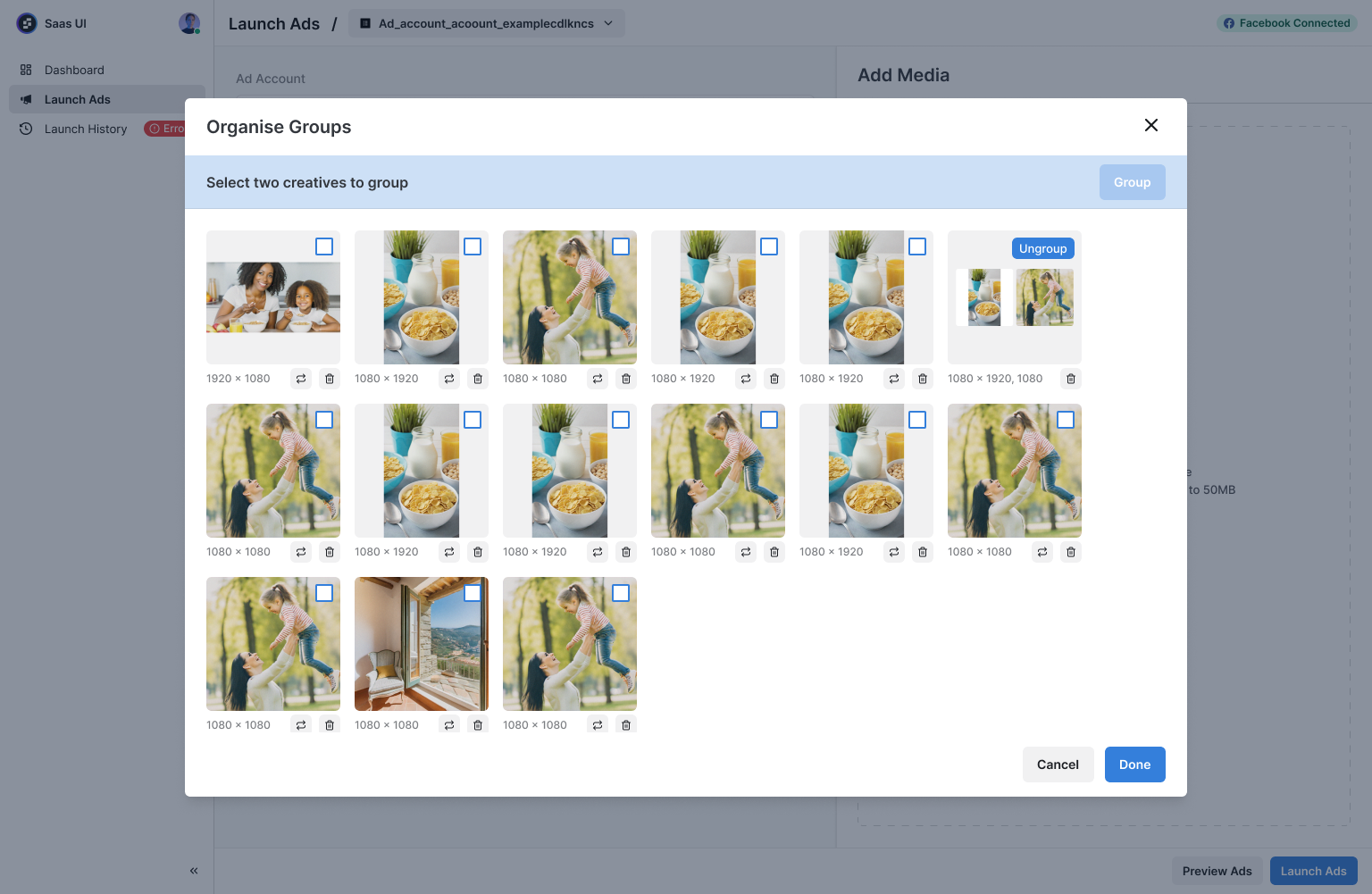
A single campaign can include square, portrait, and landscape assets. The grouping interface lets marketers bring related creatives together, separate them again, and check their dimensions before creating a batch of ads.
Bulk creation with visible progress
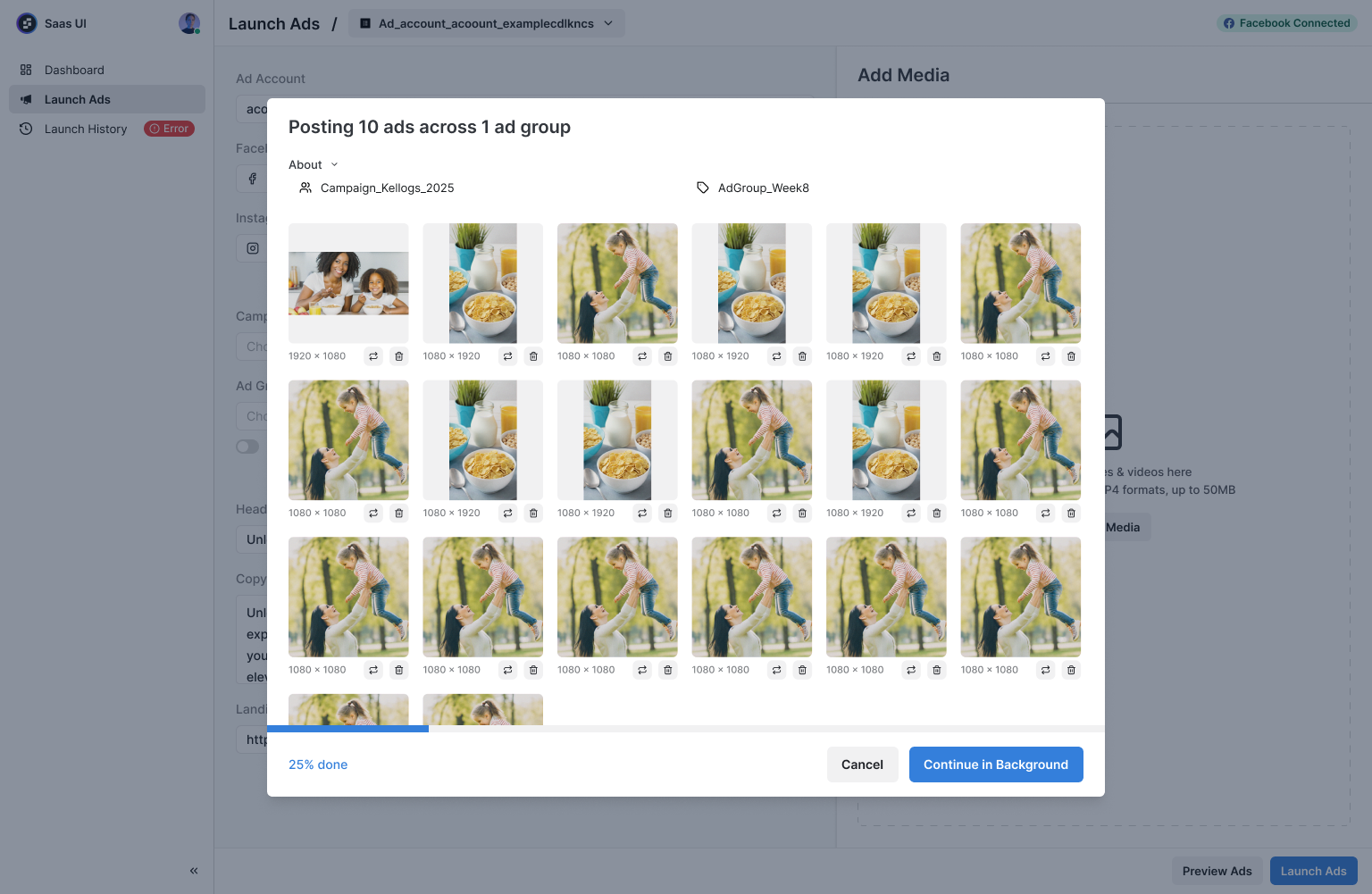
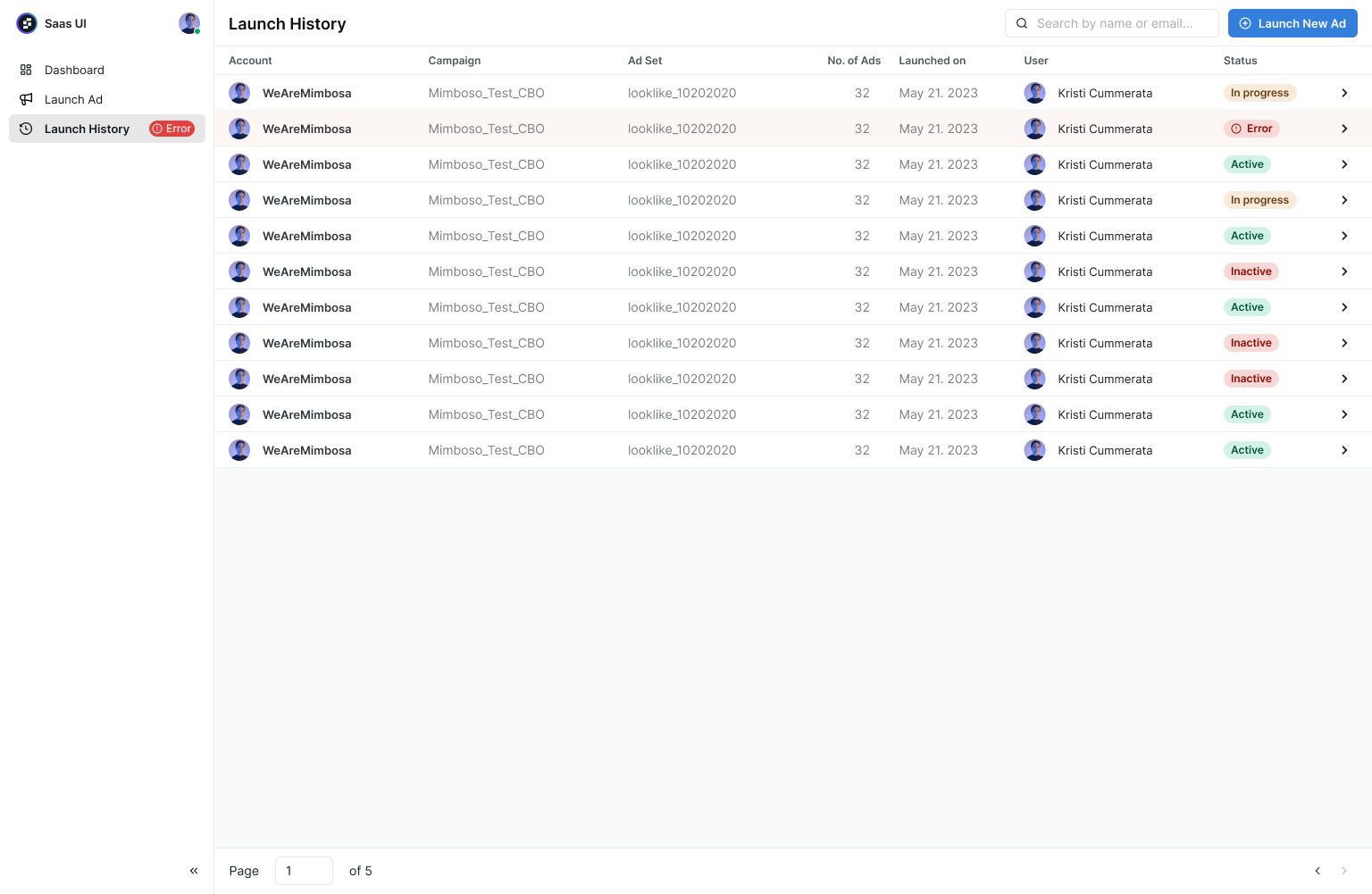
We integrated Meta APIs to turn prepared creatives and copy into Facebook and Instagram ads in bulk. The product includes a batch progress view and launch history, helping users follow processing and identify attempts that need attention.
Engineering beyond the screens
Our work covered both sides of the product: the React interface and state management, alongside the Express APIs, MongoDB data models, and Meta integrations. That included handling account and campaign data, creative groups, saved ad details, and launch attempts. Although Soma AI did not reach a public launch, the project reflects our work building a complete application from the interface through to its backend.
Related case studies

Orbsway, a healthtech startup, approached us to develop their suit of platforms specifically focused on treating amblyopia (lazy eye) disease.
View Project
Rec3rd is a chrome extension that allows users to record screencasts, record google meet sessions and directly upload them to youtube.
View Project